Agent interface
Expose concise MCP tools with schemas and safe defaults, such as `project.bundle`, `policy.read`, or `codex.task_start`.
Run a local plugin app on your Mac or Linux machine, expose a focused MCP tool surface to ChatGPT or Codex-style agents, and keep policy, traces, files, and risky actions under your control.
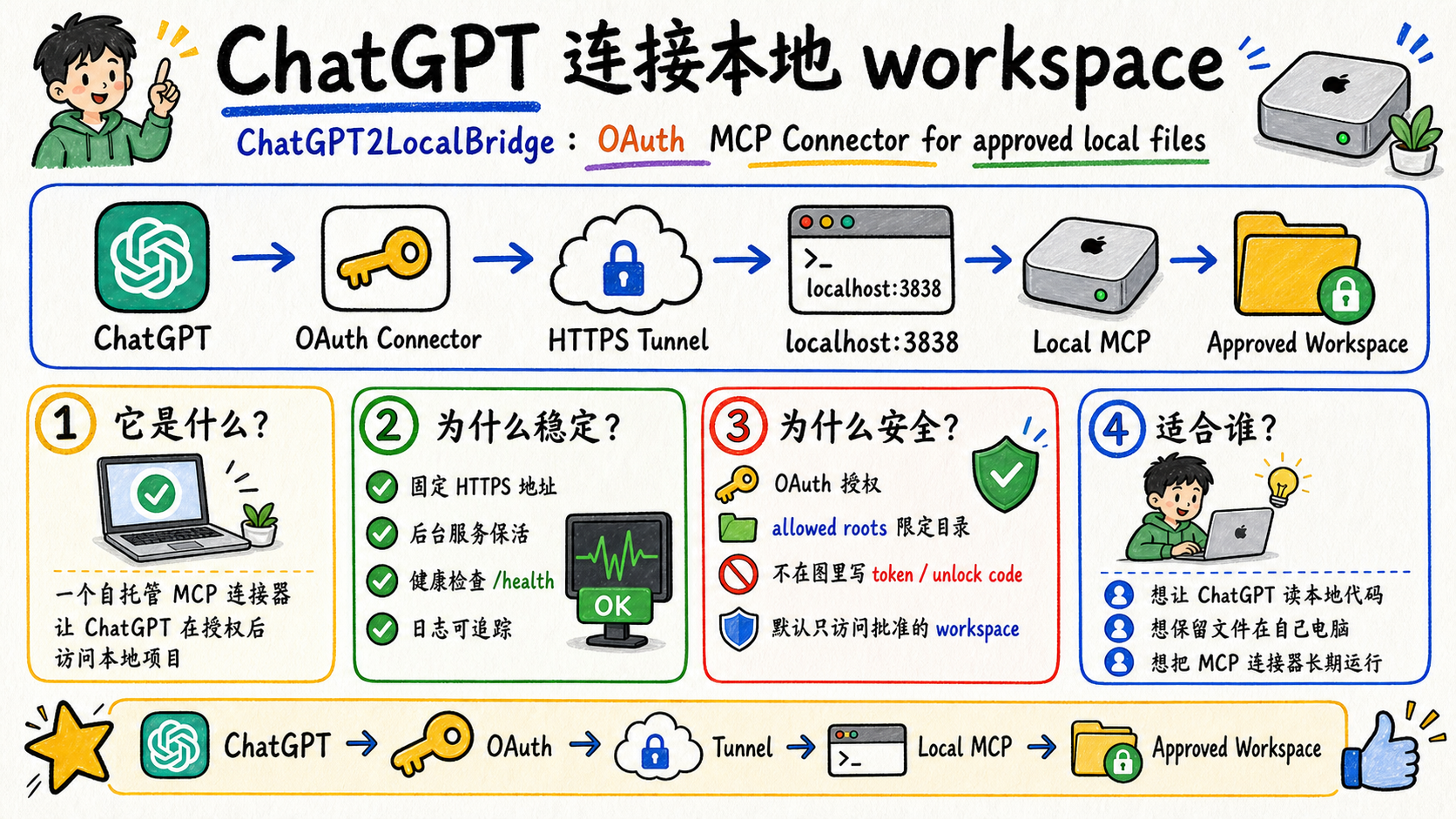
ChatGPT2LocalBridge is also a reference shape for agent-facing plugin apps: one focused tool surface, one local control panel, and one safety policy the operator can inspect.
Expose concise MCP tools with schemas and safe defaults, such as `project.bundle`, `policy.read`, or `codex.task_start`.
Give the operator a local app for status, policy, traces, logs, downloads, diffs, and cancel buttons.
Ship docs, screenshots, GitHub Pages, install commands, and copyable test prompts so users can verify the plugin app quickly.
Keep the normal ChatGPT experience small and predictable, then expand only when you are debugging locally.
Small public connector surface for first tests and compatibility aliases.
Recommended daily profile for project context, policy, skills, git, tests, traces, and Codex tasks.
Trusted local debugging profile that exposes low-level shell, file, process, and service tools.
The sharpest workflow is now mobile or web ChatGPT creating a structured handoff, while local Codex CLI performs the work in an approved project root.
ChatGPT describes the objective, constraints, risk level, test commands, expected artifacts, and optional skill route context.
The local runner starts Codex CLI with visible logs, status, diff preview, test result, and cancellation from the native app.
Use ChatGPT on your phone to ask the Mac mini or server to read local context and create scoped files without opening a remote desktop.
Your files stay on your computer. ChatGPT calls tools only after authorization.
Supports discovery metadata, Dynamic Client Registration, PKCE, and bearer tokens.
Use separate connectors for separate machines so Mac paths and Linux paths keep their own policy boundaries.
Use a fixed HTTPS tunnel and launchd to keep the bridge alive for long-running work.
Open the local `/app` console to inspect tool calls, cloud downloads, audit events, and setup state.
The native app edits workspace roots, skill roots, deny globs, and shell rules with validation and local audit records.
Expose `~/.codex/skills` as a dedicated skill root so ChatGPT can search, read, and bundle local `SKILL.md` files.